Computer-aided drafting the way
it should be.™
Power, precision and ease of use…the combination in Graphite is unbeatable for a 2D/3D CAD system, especially since it supports both Mac and Windows. Ashlar-Vellum’s unique Organic Workflow™, featuring the patented Drafting Assistant™, makes computer-aided design fast, easy and a pure pleasure to use. This is software that works the way you think.
- Unique Working Environment featuring Organic Workflow™
- Effortless and Fast Precision Drafting
- Easier to Learn and Faster to Use
- Accurate 2D and 3D Drafting to 16 Digits
- Intuitive Vellum® Interface
- Revolutionary Vellum® Drafting Assistant for Intelligent Snaps and Automatic Alignments in X, Y, and Z
- Unique Hybrid Mac/Windows, Office/Home Licensing
- Draw Order Control by Arrange Menu or Layer Dialog
- Advanced 2D and 3D Equation-driven Parametrics
- Intelligent, Parametric Symbols from any Geometry
- Multiple Sheet/Model Drawings
- Over 10,000 Architectural and Mechanical Symbols with Preview Panel
- GD&T Standards
- Multiple Dynamic Scaled, Oriented & Detail Views
- Vector Import/Export Translators Including PDF, Precision DXF/DWG and IGES
- Bill of Materials
- 2D Analysis: Area, CG, Moments
- Spellcheck
- Enlarged Text and Icons for Easy Viewing
- Unicode Core Base
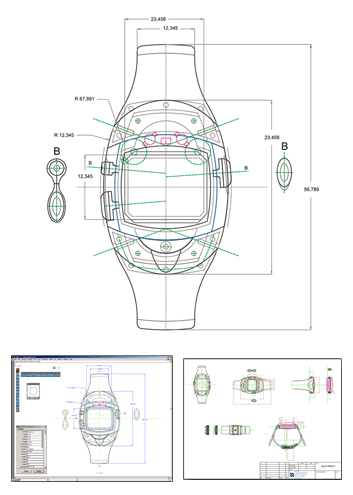
Intuitive and Visual
Luc Heiligenstein designed this sports watch using both Ashlar-Vellum drafting and 3D modeling software.
Graphite has an intuitive way for visual people to create something without going through a ton of calculations to achieve a tangible result.
Read more about Luc’s success with Ashlar-Vellum’s CAD and 3D modeling software.
General Features
- Direct Multi-sheet PDF Creation
- 16 Place Floating Point Accuracy
- Hybrid Mac/Windows Office/Home Licensing
- Infinite Pan and Zoom
- More than 256 Layers with Grouping Control
- 234 Colors, 170 User-definable from a Palette of 16.7 Million
- Unlimited Drawing Size
- Unlimited Number of Objects
- Multiple Sheet Views
- Draw Order Control by Arrange Menu or Layer Dialog
2D Analysis
- Perimeter
- Area
- Weight
- Standard and User Definable Tolerances and Settings (ANSI, DIN, ISO, JIS, Dual, Architecture, and Stacked Fraction)
- Centroid
- Moments of Inertia
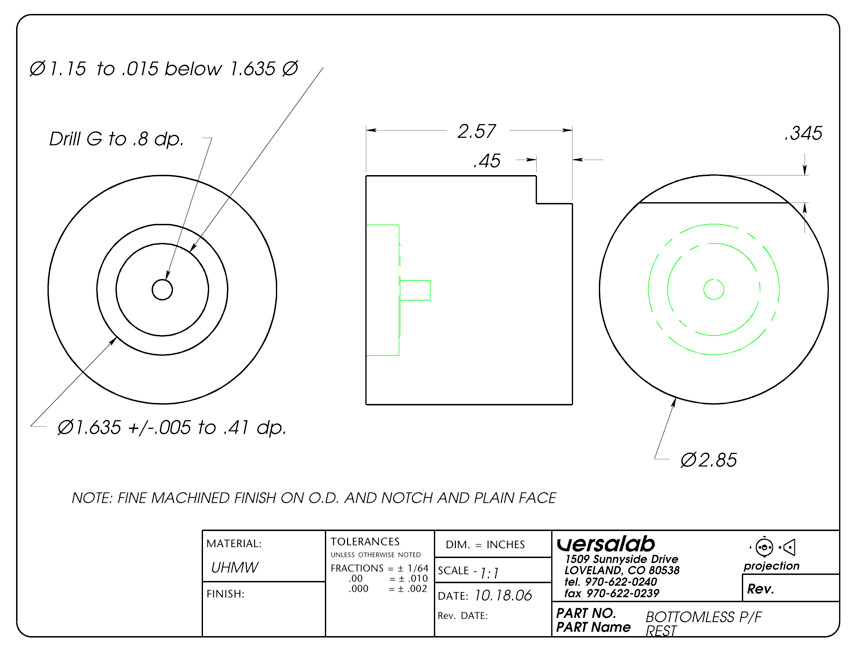
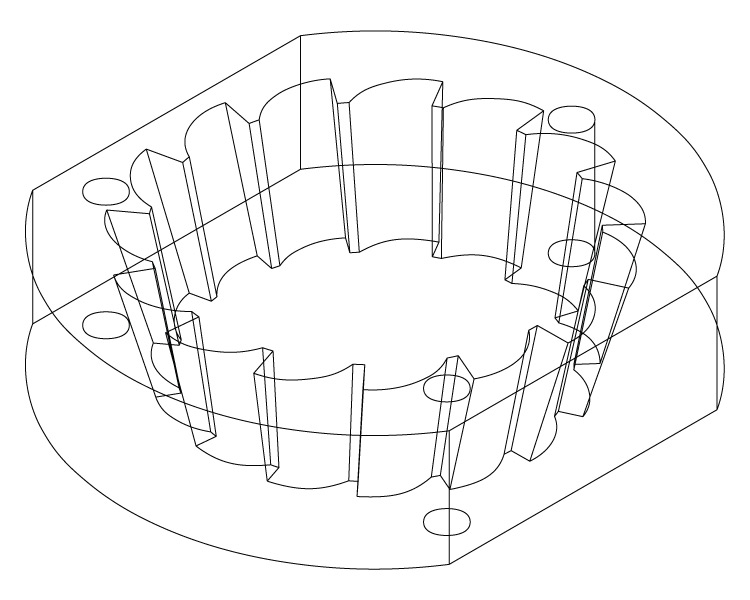
Fluid Even in the Details
Designer John Bicht, Versalab:
I quickly learned how to be more fluid in Graphite. I was able to make a complicated machine layout and derive detail drawings faster and easier than I could ever have done on a drawing board.
User Interface
- Updated, Intuitive Vellum Interface
- Enlarged Text & Icons
- Drafting Assistant™ for Automatic Snaps and Alignments
- Smart Cursor Changes Shape Indicating Active Tool and Operations
- Tear-off Tool Palettes
- Strokes and Short Cuts Provide Instant Access to Commands
- Status Line to Specify Object Parameters
- Message Line Provides Tool Feedback, Instructions, and Options
- Edit Objects Dialog Box
- World and User-defined Coordinate Systems
- All Data Entry Fields can Perform Numeric Calculations
- Object Grouping and Locking
- TrackBall for View Selection and Dynamic or Cube Rotation
- Scroll Wheel Zoom and Spacebar Panning
- Axis Locking
- Orbit Tool
- Nudge Tool Moves Selected Items a User-definable Distance
- Selection Mask for Easier Selection of Specific Entity Types
- Grid (User-definable, Infinite)
- Layer Manager
- Macros to Assign Keys or Strokes to Repetitive Tasks
- Eleven Localized Languages
- Tool Tips
- Help Tool Hyperlink
- Visual Assistance:
- Cursor Options
- Scaled Line Weights
- Menu Fonts
- Visual Color Selection Palettes
- Drag and Drop Re-ordering in Layers, Sheets, and Models Dialogs
Drawing Tools
- Wireframe Creation Tools:
- Point
- Line
- Connected Line
- Mid-point Line
- Arc
- Circle
- Ellipse
- Rectangle
- Polygon
- Through-point Spline
- Vector Spline
- Extrude
- Revolve
- Smart Walls
- Wireframe Editing Tools:
- Fillet
- Chamfer
- Trim
- Relimit
- Break
- Offset
- Add Spline Points
- Modify Spline Slope
- Intersect Two Curves
- Infinite Construction Lines
- Offset, Divide
- Insertion of Architectural Symbols in Smart Walls with Auto Healing
- Auto Healing of Intersections in Smart Walls
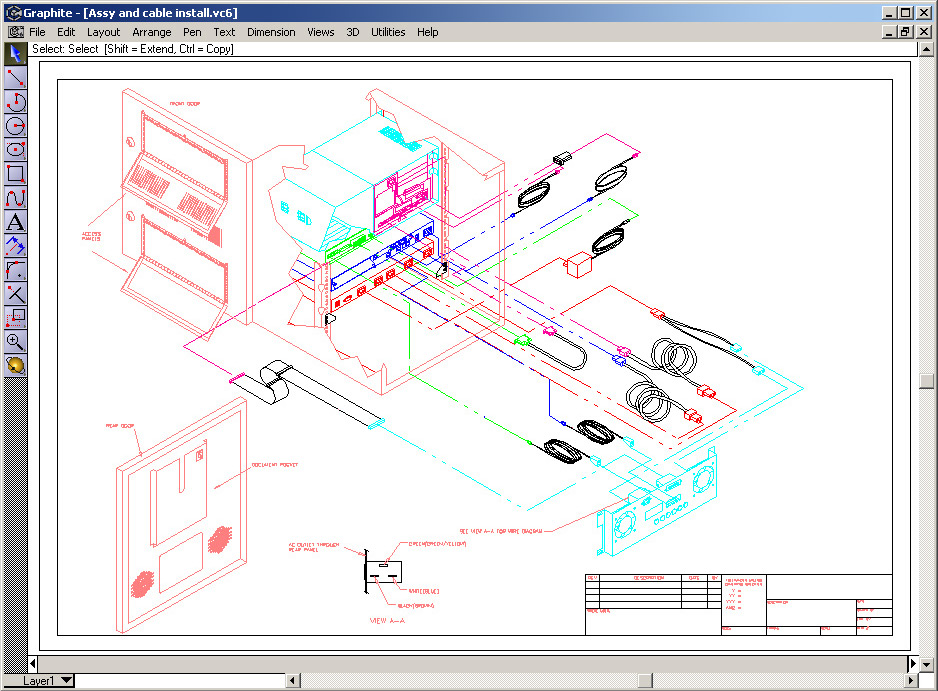
3D Precision CAD
Curt Warfield of TechniRep, Inc. designed this electrical cable assembly for custom machinery using Graphite CAD software.
Selection Tools
- Fence
- Crossing/Intersecting Line
- Enclosed Polygon
- Automatic Boundary Detection
Views
- Multiple
- 3D
- Detail
- Dynamically Linked
- Layer Visibility by Viewport
Fast Learning Curve
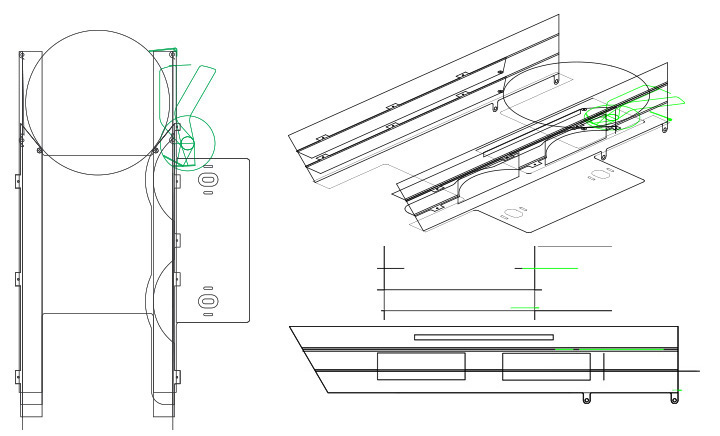
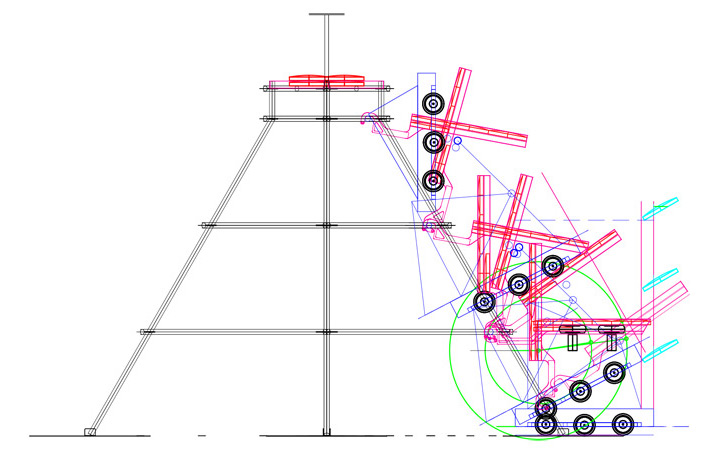
Marty Mueller, is the Adult Mentor for Cœur d’Alene High School’s award winning First Robotics Competition Team 3145, the TaraViks.
Read more about the TeraVik’s.The work flow in my shop where the kids build parts is pretty streamlined to go directly from appropriate pieces of the Graphite file that we’ve built, exported as either .dwg or .dxf into my CAM program. And the kids were responsible for doing all of that on all of the parts that they built. In the space of an hour I could teach them enough about Graphite to be fully functional.
Additional Drafting Tools
- Automated Bill of Materials
- Symbols Panel
- Multiple Sheets per Document
- Spell Check Includes User Dictionary and Many Foreign Languages
- Navigator Palette
- Plotter Font
- Models
- Movie (Mac only)
- Pen Style Palette
Text Tools
- Text:
- Multi Line or Paragraphs
- Autotext Forms
- Normal
- At an Angle
- Set Font, Size, Color
- Font Report
- Identify Missing
- Designate Substitute
General Transform Tools
- Move
- Linear Duplicate
- Rotate
- Polar Duplicate
- Scale (Uniform)
- Mirror
- Stretch
- Copy Along Path
2D Drawing Creation
- Customizable Layouts
- Smart Dimension Tool Automatically Creates the Appropriate Dimensions
- Dimensions:
- Linear
- Angular
- Diametric
- Radial
- Baseline Method
- Chain Method
- Ordinate (Datum Method)
- Circle Center Marking
- Standard and User Definable Tolerances and Settings (ANSI, DIN, ISO, JIS, Dual, Architecture, and Stacked Fraction)
- Hatch and Fill Patterns
- Line Weights, Colors, and Styles
- Geometric Dimensioning & Tolerancing (GD&T)
- Unlimited Number of Objects
- Dynamic or Static Dimensioning
Parametric Power
- 2D/3D
- Equation-driven
- Creates Smart Formula-driven Symbols
Architectural Design & More
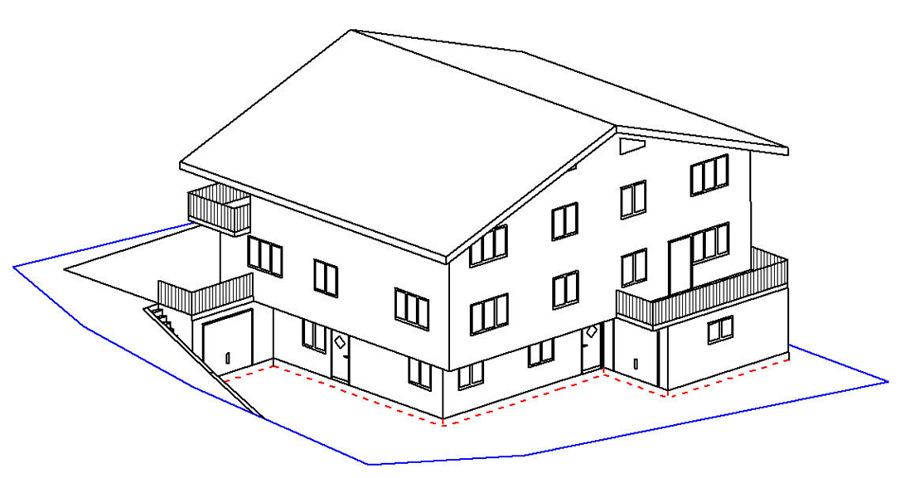
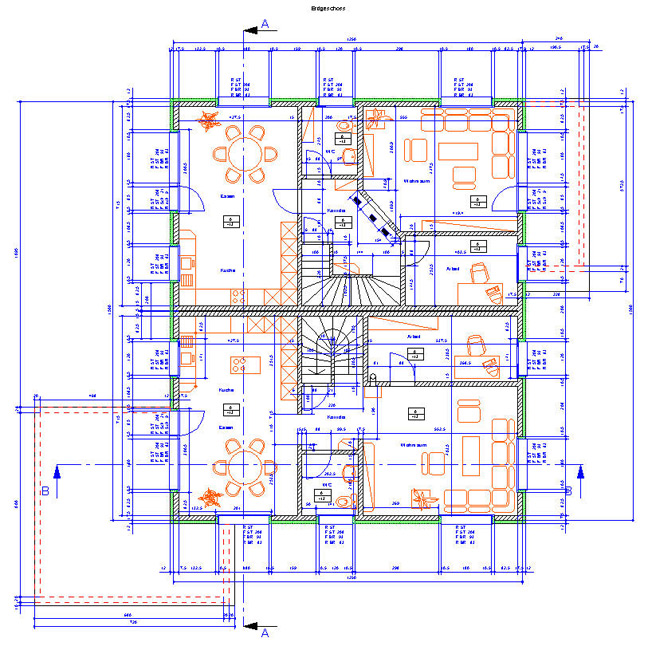
Walter Arnold of Arnold CAD GmbH in Unterschächen, Switzerland designed this Alpine house, including this elevation and floor plan in Graphite.
See more of Walter’s work in the Drafting section of our Gallery.Symbol Libraries
- Mechanical
- CAD
- ANSI
- DIN
- Reference of Instances Offers Updates Upon Reentry
- Thousands Included
- Panel Provides Click-through Viewing of All Directories Prior to Loading
Import/Export
- DWG/DXF (Up to 2016)
- PDF 2D Import and Export
- EPS
- Spline (Import Only)
- ASCII Text
- Claris CAD (Import Only)
- Bitmaps
- BMP
- JPEG (JPG)
- TIFF
- GIF
- ICON
- PBM
- PGM
- PPM
- XPM
- TGA
- PNG
- WMF (Windows only)
- PICT (Mac Only)
- Attributes
PDF Integration
- Export
- Direct (Generates Non-tessellated Arcs)
- Multi-sheet
- Imbedded Exports Optional
- PDF Large Size Export up to 200in × 200in (508cm × 508cm, including margins)
- Page Size Independent of Print Size
- Import
- Vector
- Raster
- Text
Localized User Interface
- English (US)
- English (UK)
- French
- German
- Italian
- Japanese
- Portuguese
- Slovak
- Spanish
- Swedish
- Russian
- Ukrainian
Available Accessories
- Graphite Share™ for Viewing, Printing and Exporting at Client or Manufacturing Site (Free)
- Apple Mac OS X Tiger Spotlight Plug-in (Free)
- Graphite Tips & Tricks Book
- Tutorials (Free)
Batch File Conversions
- Via Convert Command
- Per Directory
System Requirements
- Windows / macOS
- Windows x64 10 / 11 (Intel and AMD)
- macOS 12 (Monterey) / 13 (Ventura) / 14 (Sonoma) / 15 (Sequoia) and 26 (Tahoe)
- OpenGL 3.3 compatible Video Card Required / Medium- to High-performance Graphics Subsystem Recommend
- 2 GB RAM Required / 8 GB Recommended
- 2 GB free hard drive space Required / 4+ GB SSD Recommended
- Internet Connection
- Periodic Internet Communications (once every 30 days) OR
- CodeMeter Security Key in USB Port, SD Card Slot or microSD Card Slot on a Local or Network Computer. (Sold separately. Be sure to order the correct key. USB keys may be ordered from Ashlar-Vellum. SD and microSD keys must be ordered directly from CodeMeter.)
- Internet Connection
Buy Graphite 2D/3D CAD software. Special use pricing, upgrades and e-only versions available.